A useful strength workout log has one row per completed set: exercise and variation, load with its unit, reps actually done, and whether the set was a warm-up or a working set. Add reps in reserve (RIR) and rest time when you want to compare sessions fairly, and a short note only when something changed. Copy the blank template below into a notebook, a note app or a spreadsheet.
The ACSM position stand on resistance training supports progressive training, but a log is useful only if it records what you actually did. This template is an editorial tool for recording and reviewing, not a training prescription.
What should a workout log include?
Most guides agree on the basics: date, exercise, sets, reps and weight. The difference between a log you can read and one you cannot is usually in the details around those numbers. Here is what each field is for:
| Field | Required? | Why it matters when you review |
|---|---|---|
| Date and session name | Yes | Lets you find the last comparable workout. |
| Exercise + variation / equipment | Yes | A machine row and a barbell row are not the same comparison. Use one consistent name per lift. |
| Set type (warm-up or working) | Yes | Stops warm-ups inflating your set counts. |
| Load + unit | Yes | “40” means little if you later switch between kg and lb, or between a per-hand dumbbell and a total. |
| Reps done | Yes | The reps you completed, not the reps you planned. |
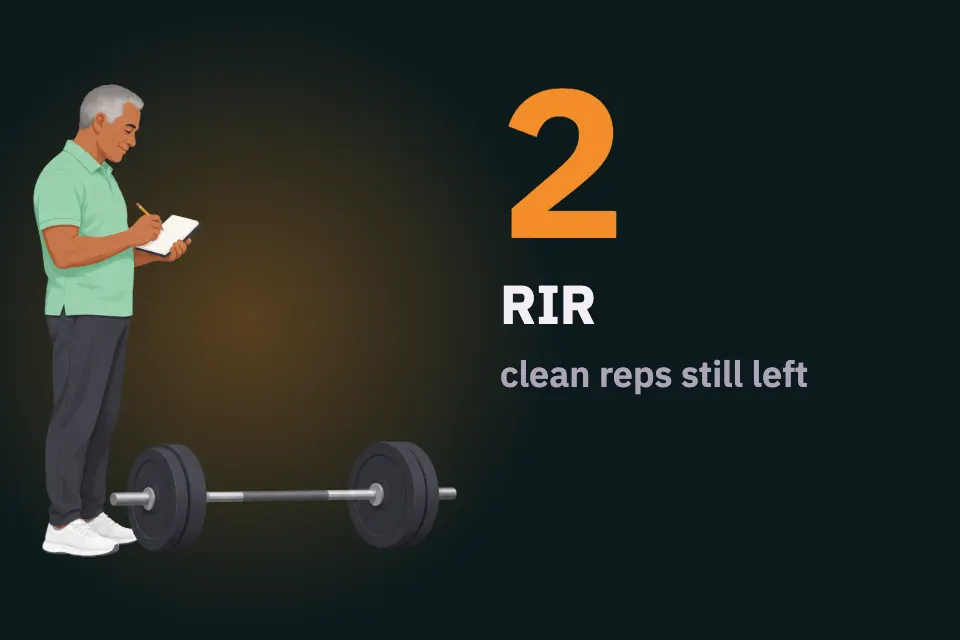
| RIR (reps in reserve) | Recommended | Shows whether the same reps felt easier or harder. It is an estimate. |
| Rest before the set | Useful | Short rest can lower the reps you manage on later sets. |
| Exception note | When needed | Records a changed setup, reduced range of motion, pain or anything else that makes a comparison unfair. |
Start with the required fields. If you never look at a column when you review, drop it; a short log you keep is better than a detailed one you abandon after two weeks.
Blank template: copy this
Copy the header and rows into a note or notebook. Add or remove rows to match your session.
Date / session:
Exercise + variation / equipment:
Planned rep range (optional):

Set | Type (warm-up/work) | Load + unit | Reps done | RIR | Rest before set | Exception
1   |                     |             |           |     |                 |
2   |                     |             |           |     |                 |
3   |                     |             |           |     |                 |

Next-session question:
For a spreadsheet, use one row per set and keep each field in its own column, so you can filter by exercise later:
Date, Session, Exercise, Variation, Set, Type, Load, Unit, Reps, RIR, Rest, Exception“Exception” can be blank most of the time. Use it for a changed bench angle, unusually short rest, reduced range of motion, pain, or another condition that makes a comparison unfair. Do not put a planned rep count in “reps done” if the set ended differently.
A filled example
The rows below are fictional sample data, not a recommendation or anyone’s results:
| Date / session | Exercise | Set | Type | Load | Reps done | RIR | Rest | Exception |
|---|---|---|---|---|---|---|---|---|
| 2026-09-28 / A | Chest-supported row, machine 2 | 1 | Warm-up | 20 kg | 8 | — | — | — |
| 2026-09-28 / A | Chest-supported row, machine 2 | 2 | Work | 40 kg | 10 | 2 | ~3 min | — |
| 2026-09-28 / A | Chest-supported row, machine 2 | 3 | Work | 40 kg | 9 | 1 | ~3 min | — |
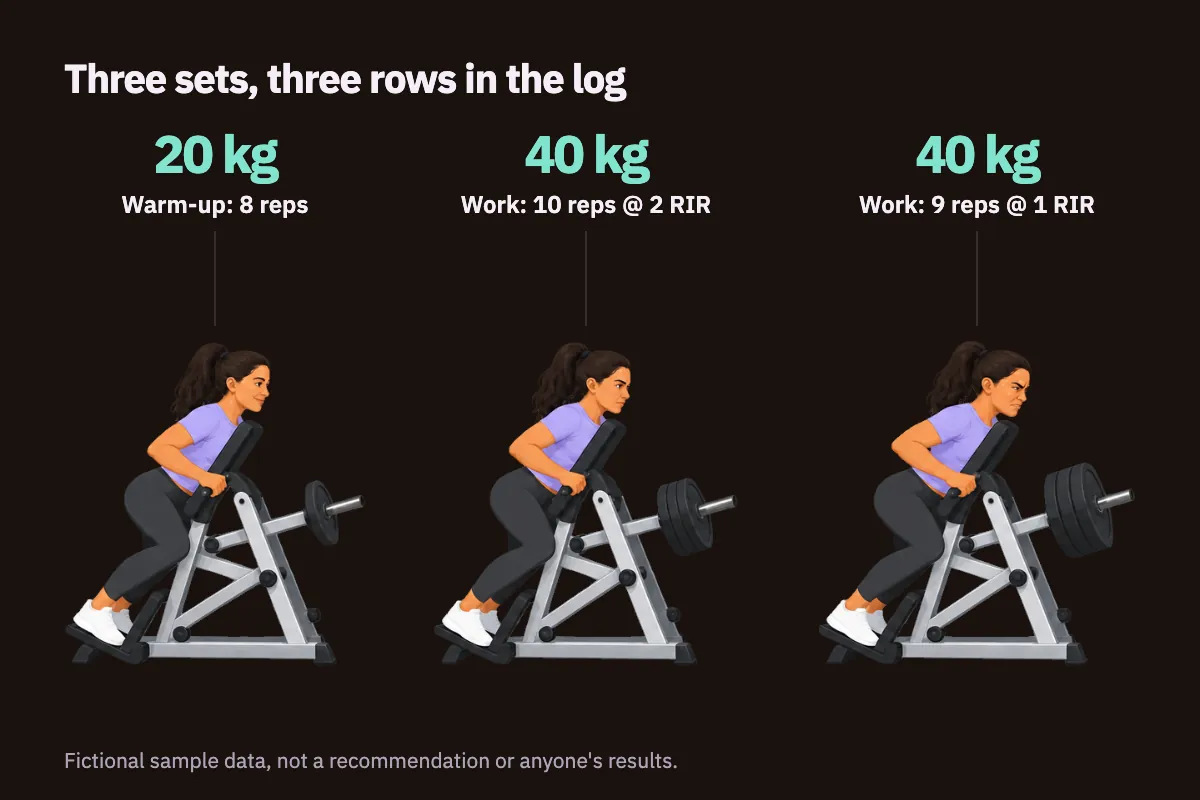
The warm-up is logged but kept apart from the working sets.
Next-session question: can set 2 reach 11 clean reps at a similar effort?
The warm-up is visible but kept apart from the two working sets. The drop from 10 to 9 reps on set 3, with RIR falling from 2 to 1, is ordinary fatigue within a session, not a sign that something went wrong. The next-session question turns the log into a plan: it names one comparison to check rather than a vague goal like “do better.” If the 2 RIR notation is new to you, our per-set RIR guide explains how to estimate and record it.
Should you log warm-up sets?
Yes, but label them. Warm-ups are part of the session, and recording them shows how you built up to the working load. They are usually far from your limit, though, so most people do not count them as hard sets. If you review your weekly sets per muscle, the set-type column prevents warm-ups from inflating the total.
Whichever convention you choose, keep it the same every week. A count that includes warm-ups one week and excludes them the next cannot be compared.
How do you track progress with a workout log?
At the next workout, compare the same exercise, same setup and same set position. Then ask what changed:
- More reps at the same load and a similar RIR may be useful progress, if technique stayed the same.
- More load at the same reps and RIR is also progress on that lift.
- The same reps at a much lower RIR means the set felt harder. Check rest, sleep and setup before drawing conclusions.
A simple rule many lifters use is double progression: work up through a rep range at one load, then add weight and start again near the bottom. For comparing several sessions rather than a single pair, see how to track progressive overload.
Rest is the field people most often skip. In one randomized study of young resistance-trained men, a group resting three minutes between sets had larger gains in measured strength and muscle size than a group resting one minute under that study’s conditions. That does not make three minutes ideal for everyone, but it shows rest can change the work you manage. Our guide on rest between sets covers how to record it without timing every second.
Paper, spreadsheet or app?
Any format works if you use it consistently.
- Paper is quick and has no screen to unlock between sets, but it is harder to search months later.
- A spreadsheet is easy to filter and chart, but awkward to fill in on a phone mid-session.
- An app can show the previous session beside the current one, which is when you need it most.
Choose the one you will actually fill in during the workout. Logging from memory at the end of the day tends to blur reps, rest and effort.
Common mistakes
- Writing the plan instead of the result. “3 × 10” in the plan and 10, 9, 8 in reality are different sessions. Log what happened.
- Changing exercise names. “Row”, “Machine row” and “Seated row” may be the same lift or three different ones. Pick one name per variation.
- Missing units. Record kg or lb, and whether a dumbbell load is per hand.
- Mixing warm-ups and working sets. This inflates volume and confuses comparisons.
- Treating one bad set as a verdict. A single poor session is not a diagnosis or proof that a program has stopped working. If several weeks stall, use the log to audit a strength plateau before changing the plan.
- Hiding a deload or a changed condition. Label lighter weeks and unusual sessions so they do not look like regressions later. See how to log a deload week.
- Pushing through pain to fill a row. Stop if a movement is painful. Write a short note instead; the log is not a reason to keep going.
Use the template on paper or in an app
You can use this template on paper. FitArchive also records weight, reps and RIR per set and shows previous values beside the current session; the demo uses separate sample data so you can inspect it first.